Seamlessly Migrate Your Browser Data with Browser Migrator App
Switching to a more private browser like Comet or an AI-integrated one like Chrome often feels like a daunting task. The primary barrier is your "digital legacy": thousands of saved passwords, meticulously organized bookmarks, and years of browsing history. Manual entry is a productivity nightmare, while exporting to CSV files exposes your sensitive passwords in plain text, posing a significant security risk.
To solve this challenge, Kstudy Academy introduces the Chromium Browser Migrator (CPM)—a professional, secure, and streamlined solution for digital transition.
What is Chromium Browser Migrator (CPM)?
CPM is a specialized tool designed to migrate data between Chromium-based browsers including Google Chrome, Microsoft Edge, Brave, Cốc Cốc, and Comet. Unlike limited native import features, CPM provides total control over your data migration with a few clicks.
Key Advantages of CPM
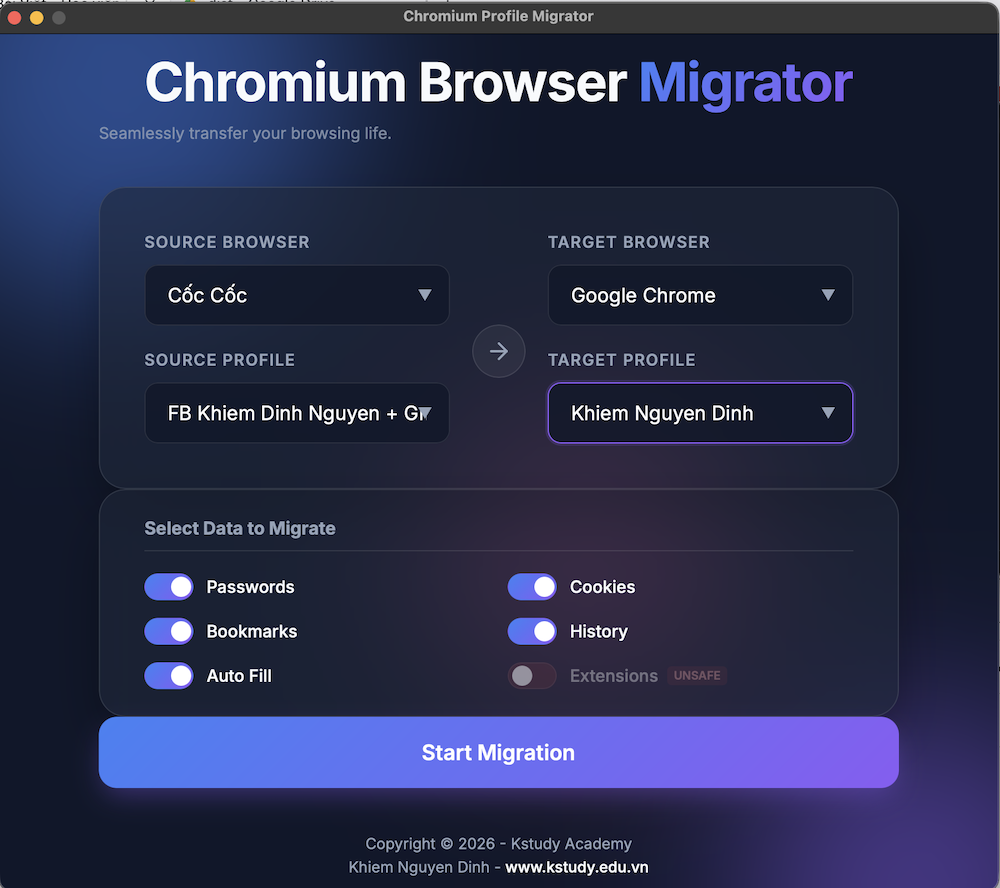
1. Selective Migration You do not have to move everything. CPM allows you to choose exactly what stays and what goes:
- Passwords: Securely transfer all accounts and credentials.
- Cookies: Maintain active login sessions.
- Bookmarks: Keep your favorite sites and folder structures intact.
- History: Preserve your browsing records for reference.
- Auto-fill: Move addresses and contact information effortlessly.
2. High-Speed Processing Eliminate tedious manual processes. CPM simplifies the workflow into three stages: Scan, Configure, and Migrate. Large volumes of data are processed in seconds.
3. Multi-Browser Compatibility Whether you are using mainstream browsers or niche versions like Cốc Cốc or Comet, CPM utilizes dedicated adapters to ensure data formatting remains perfect during the transition.
Enterprise-Grade Security
Security is the core differentiator of CPM. Most migration tools require cloud uploads or intermediate files, but CPM operates on a different principle:
- 100% Offline Operation: All decryption and data writing occur locally on your machine. No data ever leaves your computer or reaches the internet.
- OS-Level Encryption: CPM utilizes native system decryption—macOS Keychain and Windows DPAPI. This ensures that only the authenticated device owner can authorize data movement.
- Safety Net: Before writing data to the target browser, CPM automatically creates a backup. If any issues arise, you can roll back to the original state instantly.
Simple Three-Step Implementation
The interface is designed for efficiency and does not require technical expertise:
- Scan: Detect all installed browsers on your system.
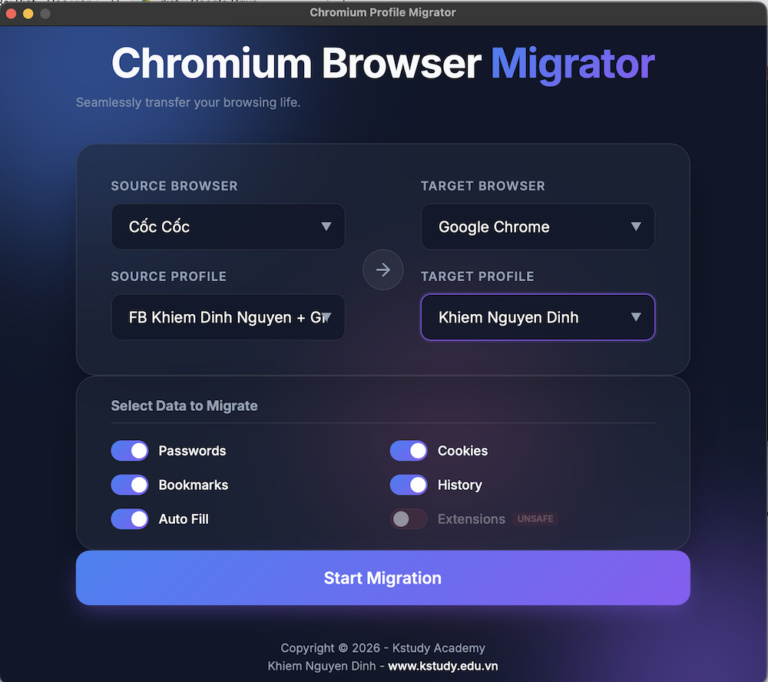
- Configure: Select the source browser, target browser, and specific data categories.
- Migrate: Execute the transfer and complete the process.
Cross-Platform Vision
CPM is currently optimized for macOS. The Windows version is in the final stages of development and will be released soon, ensuring a seamless experience across all major operating systems.
Frequently Asked Questions (FAQ)
Does CPM delete data from my old browser? No. CPM only reads data from the source and writes it to the destination. Your original data remains untouched.
Why choose CPM over native browser import features? Standard import features are often limited to specific browser pairs and frequently fail to migrate cookies or auto-fill data. CPM offers deeper customization, supports more browsers, and includes an automated backup mechanism that native tools lack.
Is my data accessible to third parties? Absolutely not. Because CPM operates entirely offline without server or cloud dependencies, your data remains within your local secure environment.
Stop letting data migration concerns hinder your browsing experience. Use Chromium Browser Migrator to transition your digital life safely and efficiently.
Download and experience CPM at: [Link Download] Follow Kstudy Academy for the latest updates on Marketing, AI, and productivity tools.